CARDX
(opens in a new tab)
  • Why CARDX
  • Technologies versions
    • Server Requirements
    • Install in local server
    • Install with AAPANEL
    • Install with CPanel
    • Admin Login
    • Admin Dashboard
    • Edit profile and password
    • Payment gateway settings
    • Customers
      • Create a card
      • Card category
      • Card Orders
      • Card Deposits
      • Topup Requests
      • Virtual Currency
      • Blogs
      • Faq's
      • Multi language
      • Menu Builder
      • Custom Page
      • Partner
      • Seo
      • Team
      • Logo favicon
      • Page Settings
        • Role
        • Admin
    • Dashboard
    • Account
      • Issue a card
      • Card Orders
      • Credit Cards
      • Authorizations
      • Transactions
    • Deposits Logs
    • Top Up Log
    • P2P History
    • Transfers History
    • Exchange Log
    • Payout
    • Account Settings
    • Stripe Settings
    • Sudo Settings
    • Lithic Settings
    • Cron Jobs Settings
    • SMTP Settings
    • Social Login Settings
  • Changes Log
Question? Give us feedback → (opens in a new tab)
Configurations
Sudo Settings

Sudo API Settings

Go to sudo.africa (opens in a new tab) and login

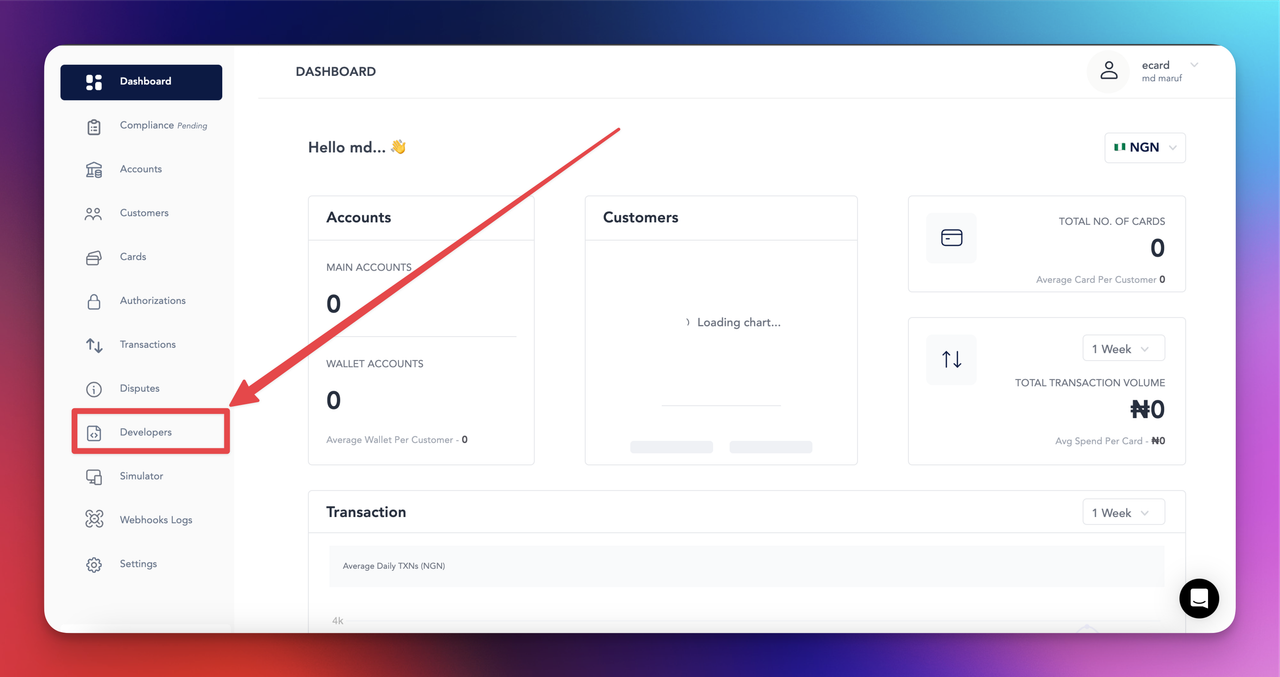
  1. Step 1: go to dashboard
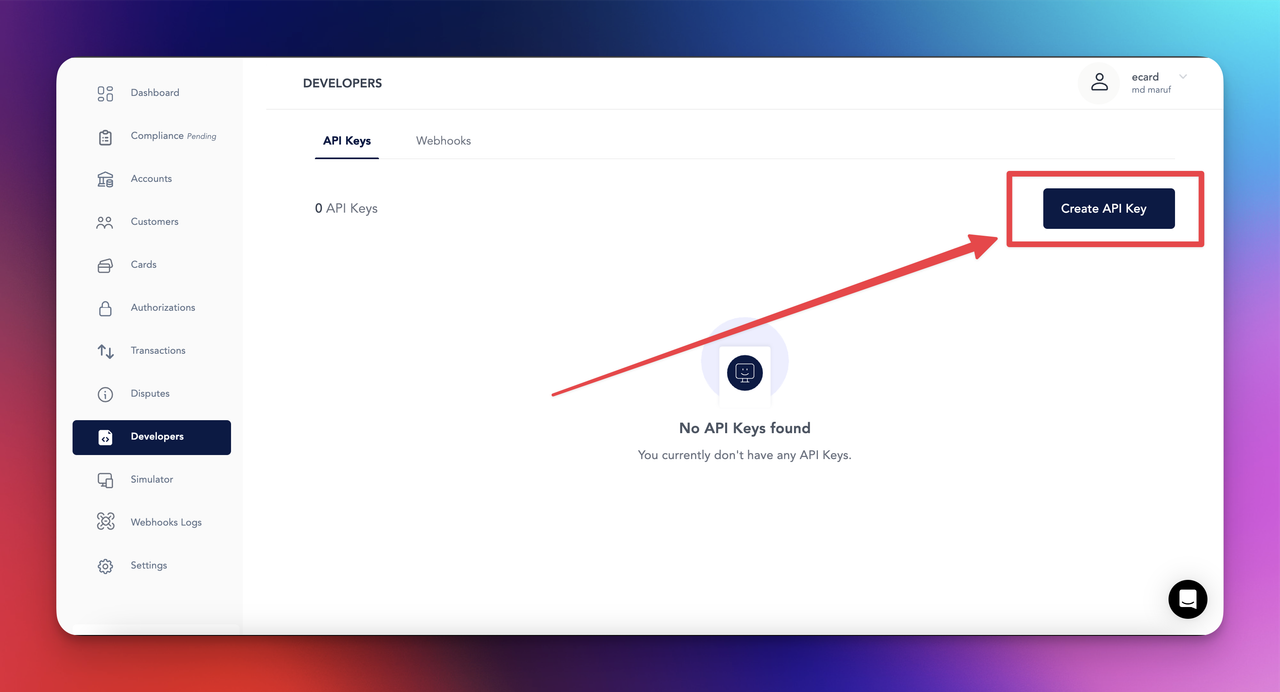
  2. Step 2: Click to Developers Settings
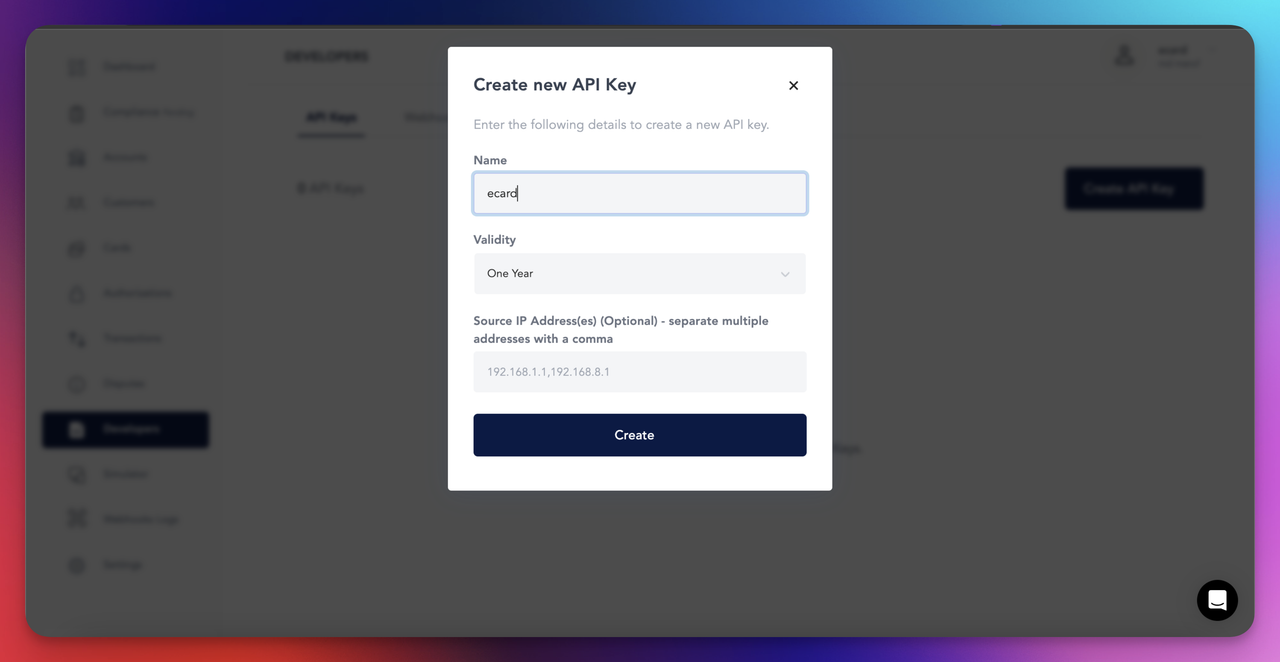
  3. Step 3: Create new API KEY
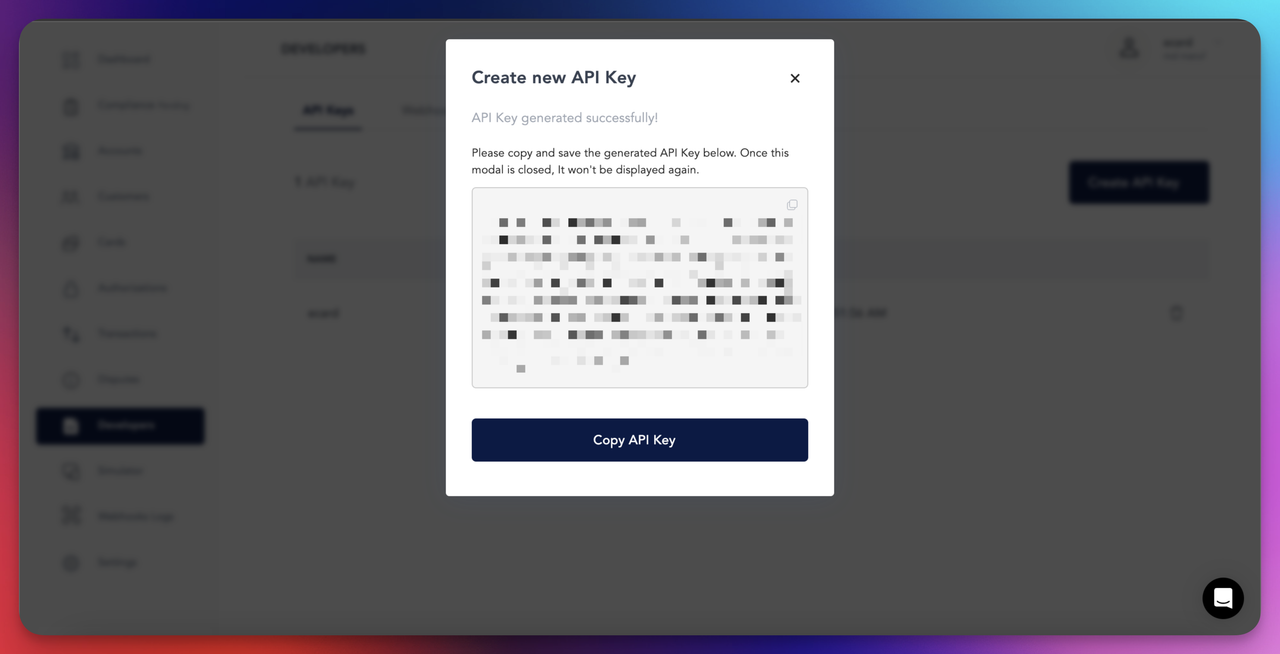
  4. Step 4: copy the API key
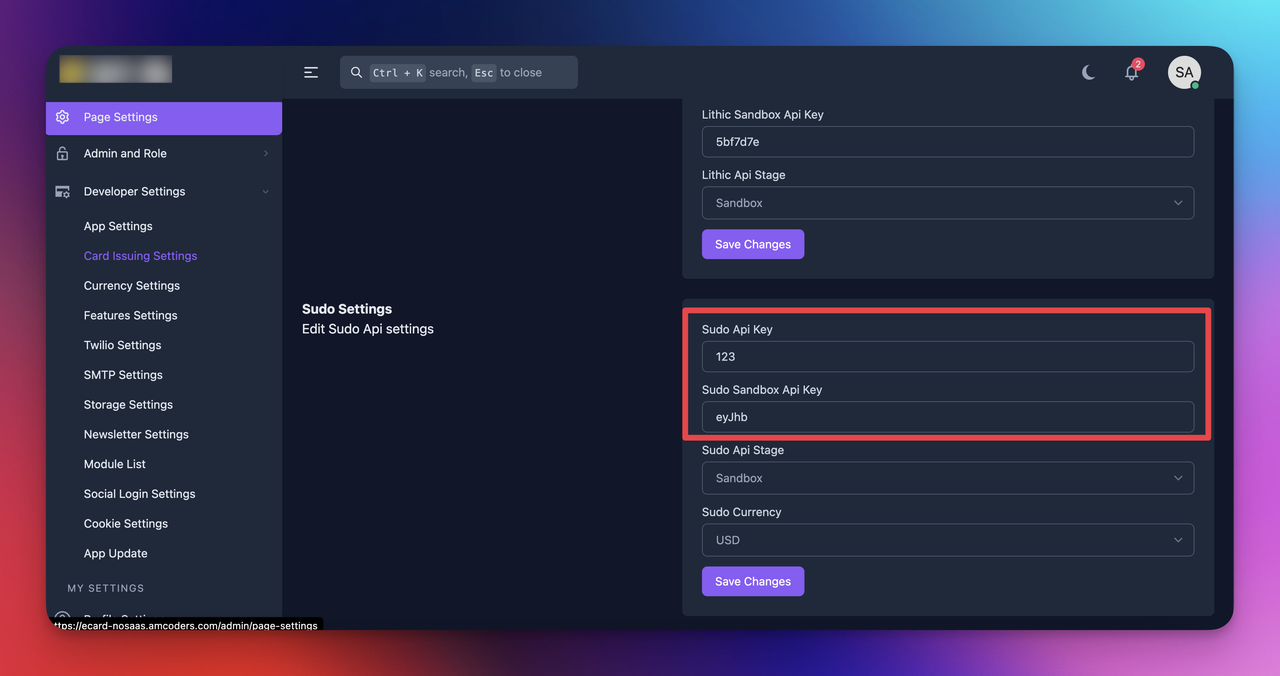
  5. Step 5: Adminend > Developer Settings > Card Issuing Settings and paste the API Keys in the feild and select the currency
Stripe SettingsLithic Settings

Copyright 2025 © AMCoders. All Rights Reserved.